Creating a home workspace that is both cozy and functional can greatly improve your productivity and overall well-being. Whether you work remotely full-time or just need a dedicated spot for tackling personal projects, designing a space that feels inviting while supporting your tasks is key. In this article, we’ll explore practical tips to help you set up a home workspace that works for you.
Why a Cozy and Functional Workspace Matters
Your workspace is where you spend a significant part of your day, so it should inspire focus without feeling sterile or uncomfortable. A well-designed space helps reduce distractions, keep you motivated, and even improve your posture and health. A cozy atmosphere can make work feel less like a chore and more enjoyable.
Choosing the Right Location
Consider Natural Light
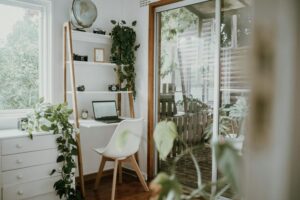
One of the most important factors in a comfortable workspace is natural light. Position your desk near a window if possible. Daylight enhances mood and reduces eye strain. If natural light is limited, invest in quality task lighting such as adjustable desk lamps with daylight bulbs.
Minimize Noise and Distractions
Select a quiet corner of your home to help maintain concentration. If external sounds are unavoidable, consider noise-cancelling headphones or white noise machines to create a more peaceful environment.
Space and Accessibility
Ensure your workspace has enough room for your computer, supplies, and any additional tools you use regularly. Keep frequently used items within arm’s reach to reduce unnecessary movement.
Designing for Comfort and Functionality
Invest in an Ergonomic Chair and Desk
Comfort is crucial when spending long hours working. Choose an adjustable chair with lumbar support and a desk at the right height to promote good posture. If possible, look into sit-stand desks that allow you to change positions throughout the day.
Personalize Your Space
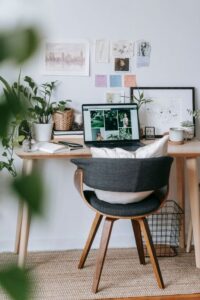
Add personal touches such as artwork, plants, or decorative items that make the space feel inviting. Plants can also improve air quality and add a calming natural element.
Organize Efficiently
Clutter can hinder productivity. Use organizers, shelves, or drawers to keep your desk tidy. Label containers to quickly find supplies and prevent mess from accumulating.
Smart Tech and Cable Management
Use Efficient Technology
Choose devices that suit your work needs without overwhelming your space. A good monitor with adjustable arms, wireless keyboard and mouse, and quality headset can improve comfort and efficiency.
Manage Cables Neatly
Use cable clips, sleeves, or boxes to keep cords organized and prevent tangling. A clean desk surface helps reduce stress and creates a more professional appearance.
Lighting Tips to Reduce Eye Strain
Avoid harsh overhead lighting that causes glare. Layer your lighting by combining ambient, task, and accent lights. Position light sources so they don’t create screen reflections.
Creating Motivation and Boundaries
Define Work Hours
Set specific times for starting and stopping work to help maintain balance. Use alarms or calendar reminders to stick to your schedule.
Break Areas and Movement
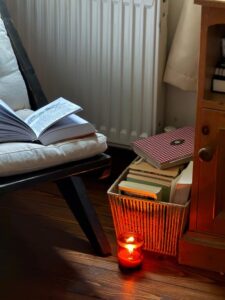
Include a nearby spot where you can take brief breaks or stretch. A small yoga mat, comfortable chair, or window seat encourages movement away from your desk.
Maintaining Your Workspace
Regularly clean and declutter your area to keep it fresh. Updating your setup every few months can help keep things inspiring and functional.
—
By focusing on comfort, organization, and personalization, your home workspace can become a place where productivity flows naturally and you feel good spending time. Take small steps to improve your environment, and soon you’ll enjoy the benefits of a cozy, efficient workspace tailored to your lifestyle.